Child Support Service Application
Testing an application for parents and caregivers to set up and update child support outside of the Ontario court system.
Organization
Ontario Digital Service
Timeline
May 2023 - August 2023
Role
Led user research, analysis and synthesis, project coordination, stakeholder engagement
The Brief
The Child Support Service is an online application for amicably separated parents and caregivers to set up or update child support arrangements outside the court system.
With the application already available to parents and caregivers for over a year, our team was contacted by two Ontario Ministries to understand the online experience for people using an updated version of the service. The Ministries wanted to understand the coherence of overall journey from logging into ONT-TAXS, to the providing an e-signature. How could the application be improved moving forward?
Our Goals
Identify what motivates people to use the online child support service
Understand users’ mental models of this service (particularly when it comes to the two-party application process) and their expectations around it
Determine the overall usability of the form: its coherence, clarity, flow
001: Mapping User Flows
To start, ministry partners provided a demo of the prototype, demonstrating both the flows from the perspective of the payor and the recipient.
Our team created a flowchart of the application process to understand the two key user flows, identify emerging pain points, and shape the facilitation guides for our usability testing sessions moving forward.
"Let's remember that this is a program for seniors and about seniors. Applicants write fantastic proposals about phenomenal projects that will genuinely improve communities … Because they have to face this application, there are difficulties … projects are delayed, and they have to cancel their projects. We’re setting them up for failure.”
— Grant Coordinator
002: Research
Part 1: The Stakeholders
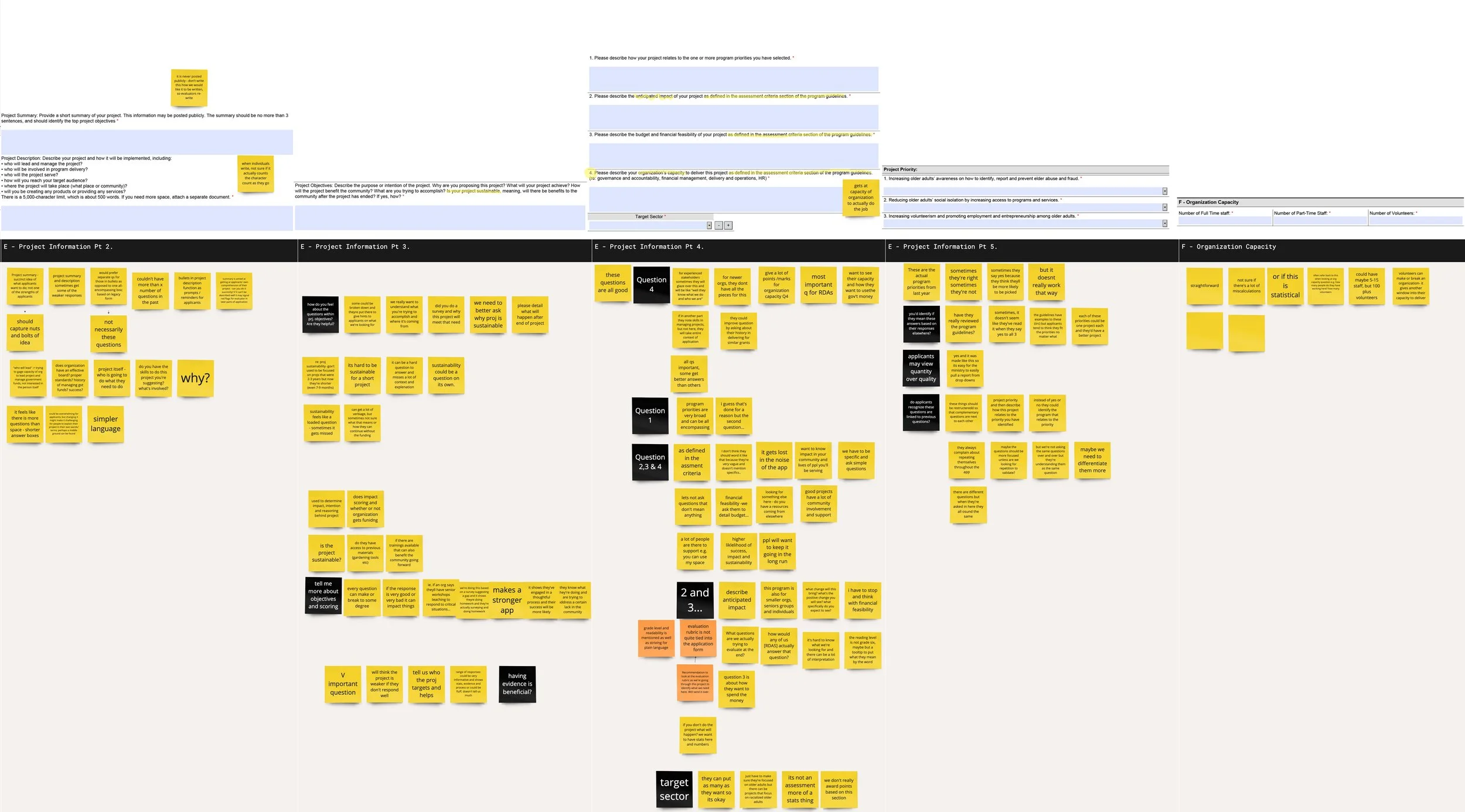
To better understand the context that surrounds the application process, and how applications were evaluated, we facilitated two half-day research workshops with 5 staff who evaluate the submitted applications. We used an interactive Miro board to:
Identify the steps involved in the evaluation of applications, actors involved and tasks
Understand the purpose and use of information gathered through the application form, how the questions in the form contribute to funding recommendations, and the common errors applicants made
Part 2: The Users
Next, we wanted to understand some of the pain points applicants experience when completing the form. We held 13 content testing sessions with applicants. We asked them to:
Share their past experiences completing the application form in a semi-structured interview
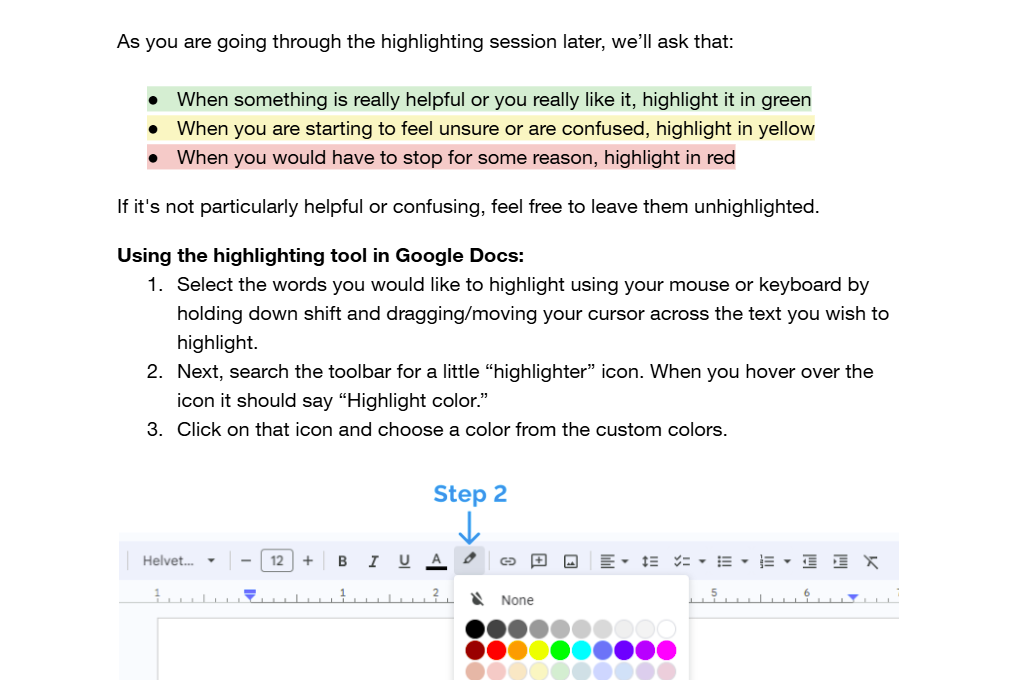
Complete a highlighter test in a Google Docs form of the PDF
003: Key Issues
Irrelevant sections
Some compulsory questions were not relevant to all projects. Several applicants indicated that some of the questions and instructions in the application didn't feel relevant to their unique settings, or were asked too early.
Fragmented form structure
Applicants shared feeling that they were getting asked very similar questions throughout the application, making them them doubt that they were filling sections correctly.
Inaccessible format
The form was not compatible with most PDF viewers, resulting in technical issues for many applicants.
Unclear criteria
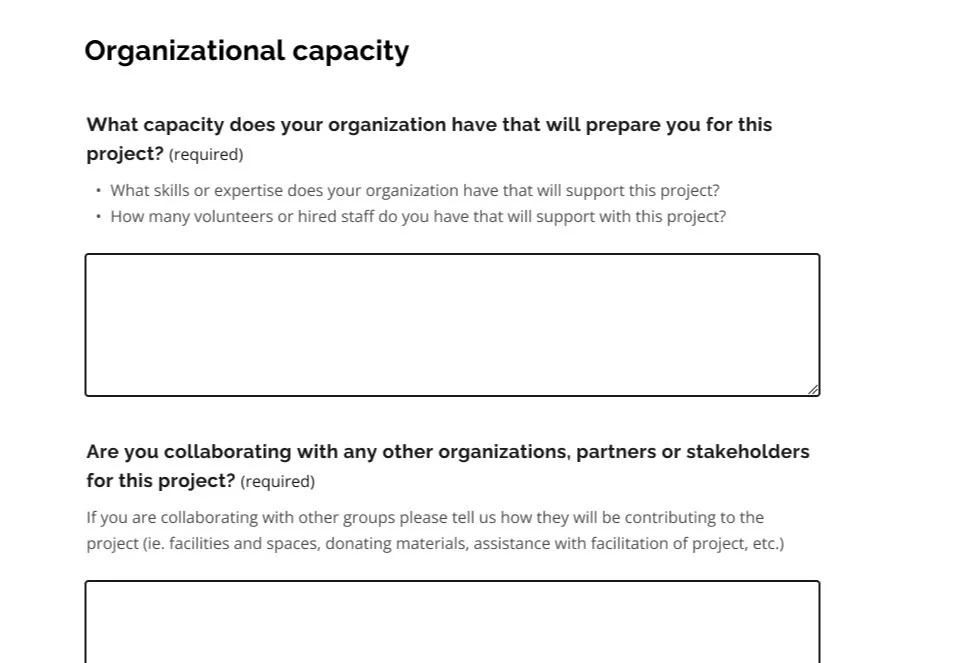
Applicants struggled to understand what to prioritize. Sections such as organizational capacity are weighed heavily during the evaluation process, yet the importance placed on the question and the level of detail required is not clear to applicants.
Complex and unfamiliar language
Several participants struggled to understand jargon-heavy and technical language in the application form, causing them to leave the form to google the terms.
Ambiguous questions
There was a mismatch between the answers evaluators expected and how applicants understood questions, especially concerning project priorities.
004: Co-creation
Next, our team brought together four evaluators and two applicants together to brainstorm changes to the Seniors Community Grants application form in a half-day co-creation workshop.
As a group, we walked through the form using a set of guiding design principles — developed based on the analysis of our findings — to collaboratively develop an ideal end-state for the form.
"I would like to take a moment to appreciate this. This is great work we are doing today and I am very happy to be a part of this process. Thank you very much for this platform!”
— Grant Coordinator
005: Service design changes
Working closely with the Ministry of Seniors and Accessibility, we were able to achieve three main outcomes.
Transition to modern webform
The Ministry used the available technical ecosystems to move from the PDF format to a modern webform built using the Ontario Design System. The change both resolved pain points identified during testing related to PDF compatibility but also introduced an HTML-based system that was more flexible and accessible.
Updated evaluation process
The transformation of the form’s sections and questions required updates to the existing evaluation documents and processes, since previous methods were no longer applicable. We gained the team’s commitment to ensure that the evaluation process would be clearer.
Policy changes to budget evaluation
Our work also resulted in policy changes to the grant that revised how budgets are evaluated. By removing complex budget categories and limits, we gave applicants greater freedom to include expenses relevant to their projects, so the application better reflects the diversity of submissions.
006: Form changes
Our final design was guided by four design principles, shown below with some example screenshots.
Relevance: Streamlining the form
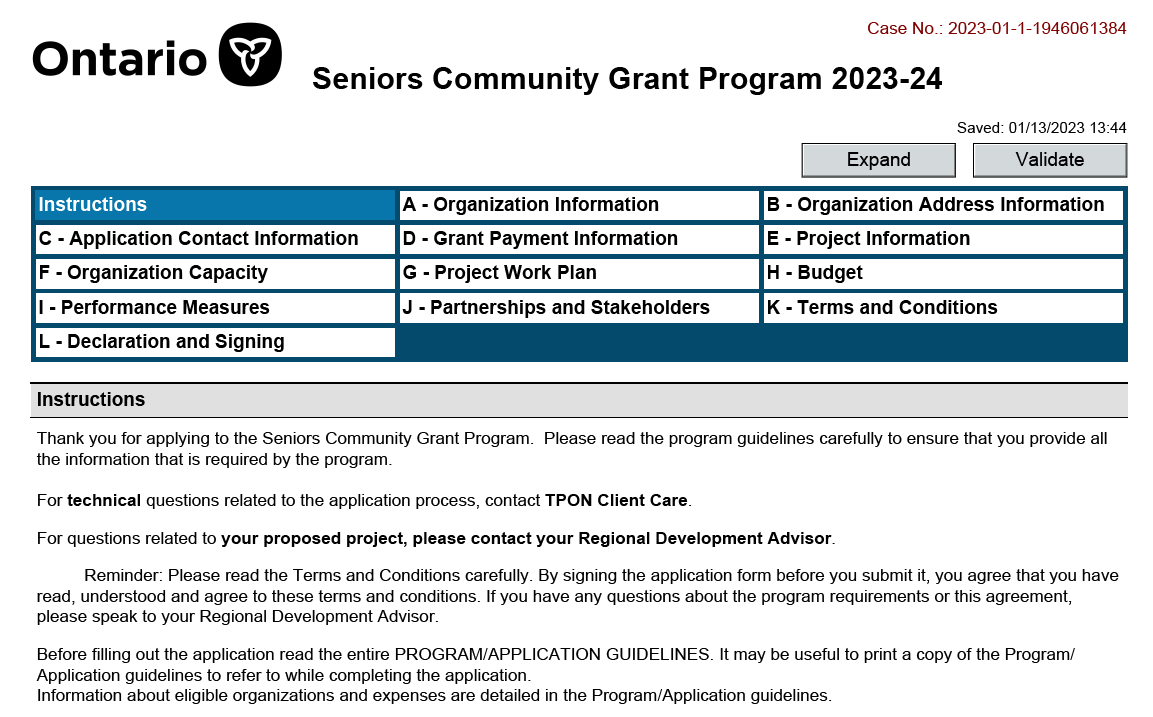
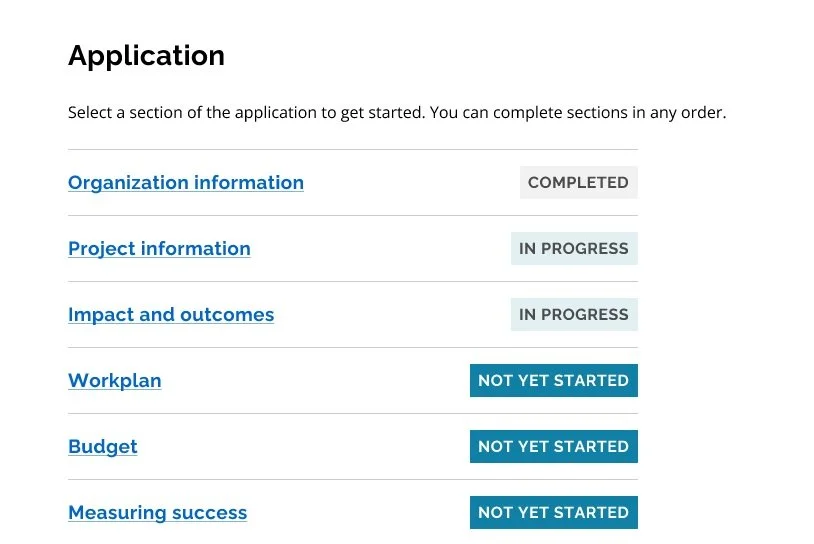
We focused on only asking participants what is relevant at this time. By streamlining the application and removing redundancy, we reduced the number of sections in the form from 12 sections to 6, and from 96 questions to 24 questions, keeping key inquiries based on the evaluation criteria.
Before
After
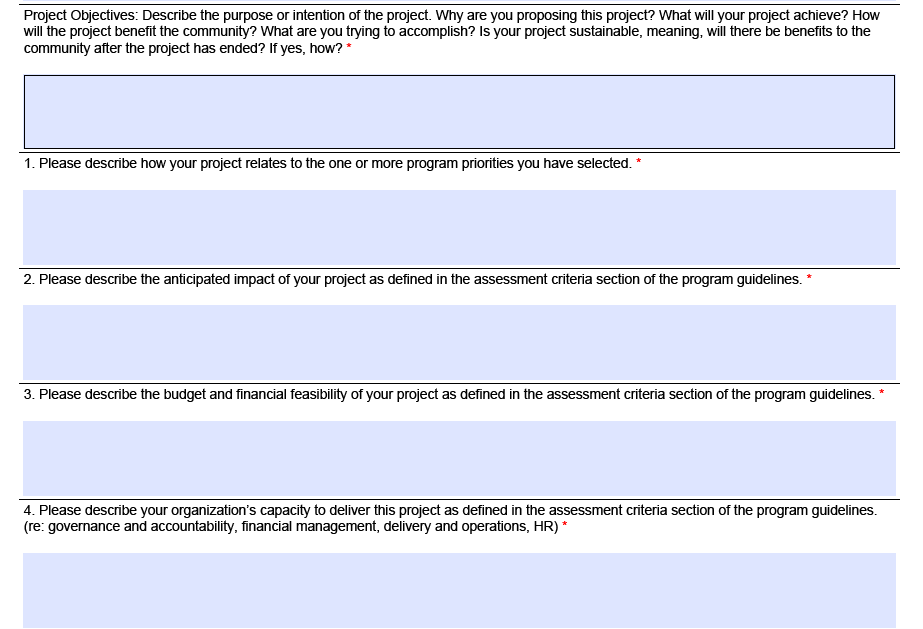
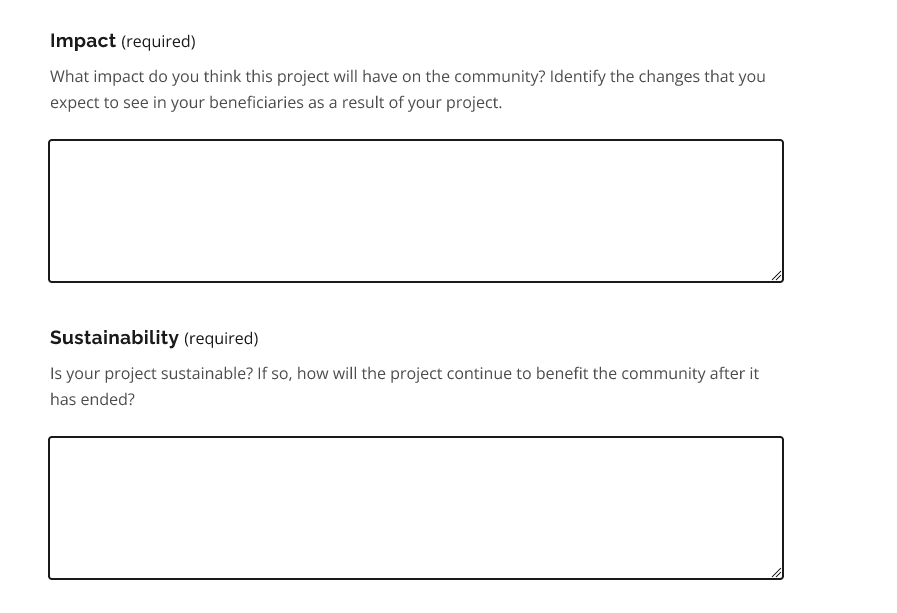
Simplicity: Plain language
We aimed to make the application easy to use, understand, and to scan. Working closely with a content designer, we rewrote the copy, and removed confusing and ambiguous language, drawing on insights from highlighter testing.
Before
After
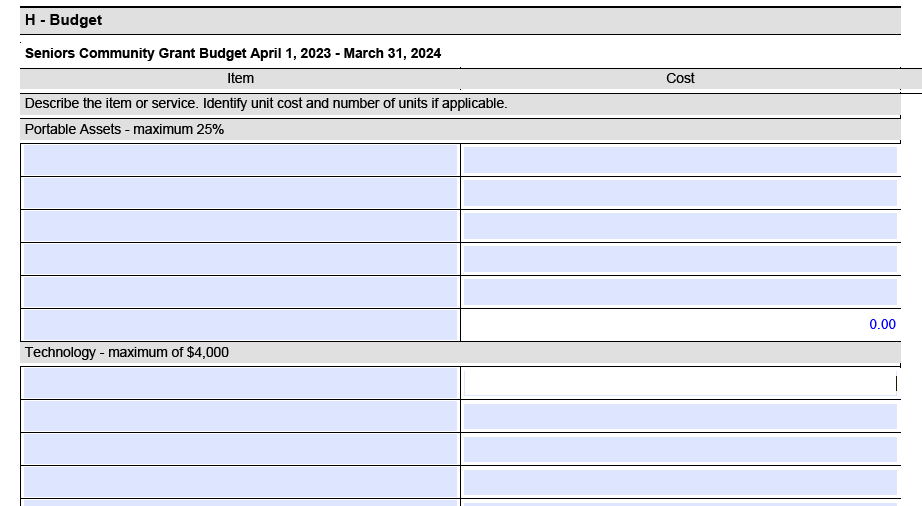
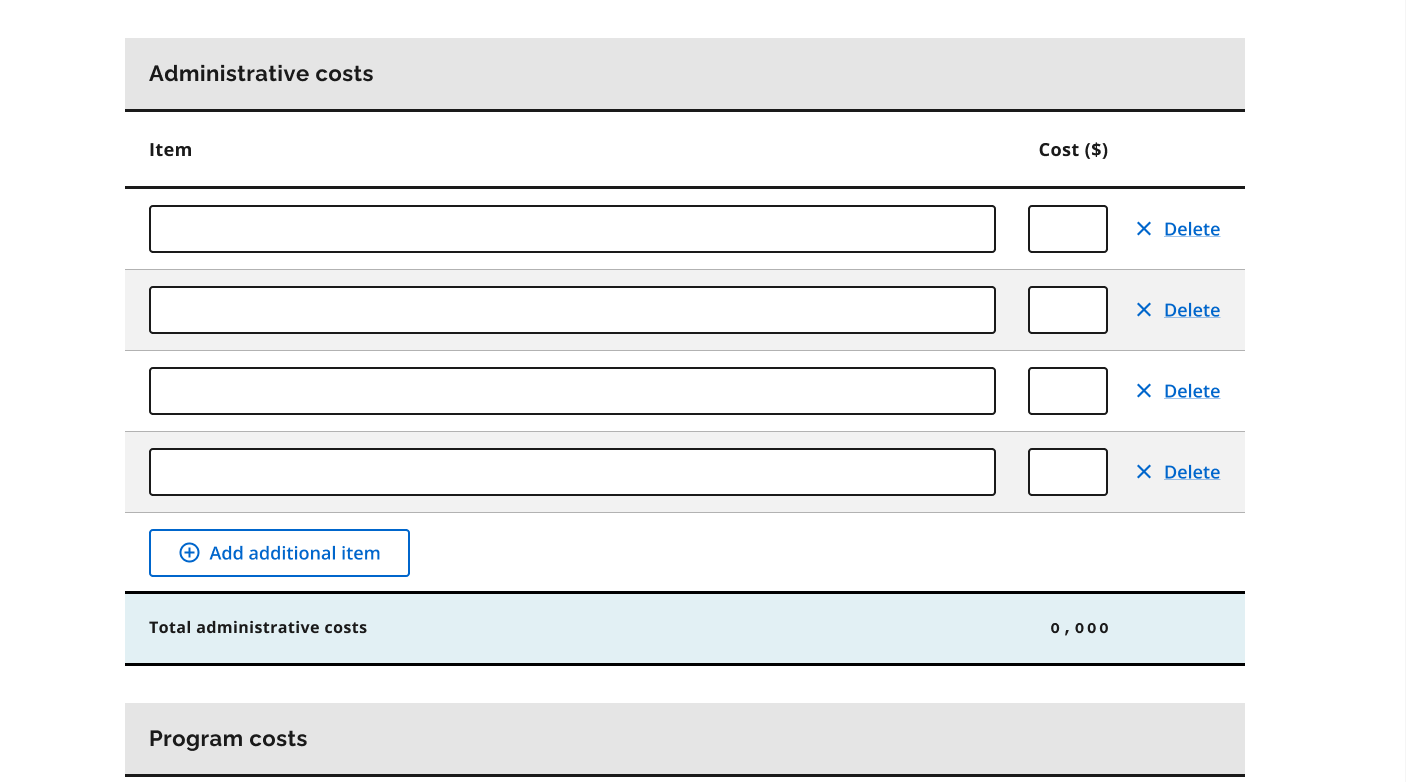
Flexibility: Applicable for all projects
We ensured that the application could cater to and accommodate the range of projects applicants brought by rewriting questions to be general without strict notions about what projects should look like, ensuring that applicants could tailor responses to their unique needs.
Before
After
Transparency: Knowing what to expect
To remove guesswork and doubt for applicants, we created clearly defined topics and questions and clustered questions related to the same criterion, based on discrepancies found during walkthroughs with applicants and evaluators.

Before


After

006: Reflections
Be prepared for the unexpected
Participants engage very differently with highlighter tests. While some participants were on top of the highlighting and talking as they went through the activity, others preferred to speak their thoughts aloud and would forget to highlight content that was confusing or helpful. It was critical for us to remain flexible and adjust on the fly - from offering support with highlighting from an observer, to troubleshooting technical problems.
Harness the power of co-creation
I also learned about the value of bringing together multiple stakeholders to guide the design process. Engaging in the ideation workshop at the end of the project not only provided us with a holistic view of what the application should look like, but it also aligned our research team, evaluators, and applicants on a path forward and set expectations for the condensed webform to come.